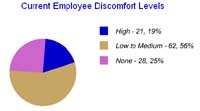
How the program stays active
1. Identify
Employees complete a guided assessment that highlights discomfort, task patterns, and workstation concerns without forcing them through a long generic form.
2. Recommend
MyErgoPro narrows the most relevant ergonomic suggestions so staff can act on practical changes and escalate where expert help is needed.
3. Track
Your team stores notes, interventions, and results in one system so program ownership does not disappear into email threads and spreadsheets.
4. Train
Supervisors and employees can be pointed toward focused training content when the same discomfort patterns start to show up across groups.
Latest tools teams use first
The original MyErgoPro home experience pointed visitors toward the practical pieces people usually ask about first. That still makes sense: start with the tools that help employees participate, then use the results to guide follow-through.
Now available: Product Database
Connect workstation recommendations to real office equipment choices so coordinators can review chairs, monitor support, keyboards, mice, and accessory options with more consistency.
Free individual online assessment
Give employees a simple starting point to report discomfort, describe their setup, and receive tailored guidance before a small issue turns into a larger interruption.
Office stretches and reminders
Use trend data, stretch reminders, and focused training prompts to keep ergonomics visible after the first assessment rather than letting the program go quiet.
If you are still deciding where to begin, Welcome to MyErgoPro explains the service model, while Why be proactive with ergonomics? helps frame the business case for catching discomfort early.
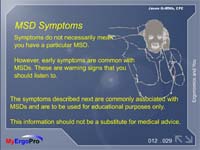
Built for program owners who need clarity
MyErgoPro is meant for the people accountable for ergonomics results: health and safety teams, occupational health groups, HR leaders, and consultants supporting office populations at scale.
You get a repeatable process, employees get clear guidance, and management gets a better picture of where to invest support.
Visit Welcome to for a platform overview, then continue to Why be proactive with ergonomics? to build the internal business case.
Frequently asked questions
Is this only for employees who already have pain?
No. The strongest use case is early identification. Many programs use MyErgoPro to find discomfort and risk patterns before they become larger support cases.
Can this support multiple locations or departments?
Yes. The workflow is suited to enterprise programs that need a single, consistent process across offices, departments, or business units.
What happens after an assessment is completed?
Employees receive guidance, your team can review flagged items, and the system keeps the case history available for follow-up reporting and training decisions.